
USD Environments for Synthetic Data
Start with authored geometry, materials and semantic labels for your synthetic-data workflow. Define the render outputs, label coverage and runtime checks your robotics pipeline needs.
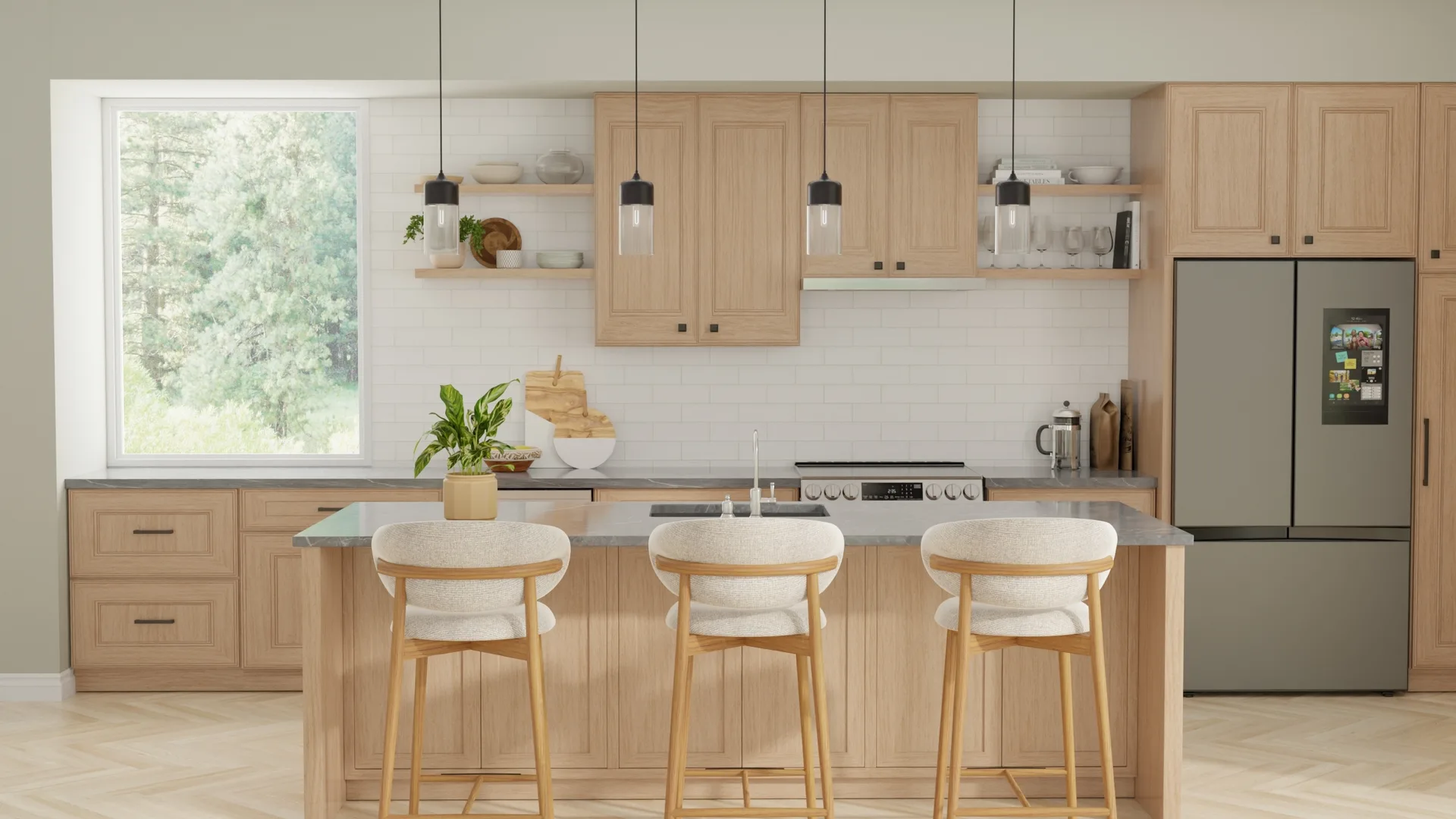
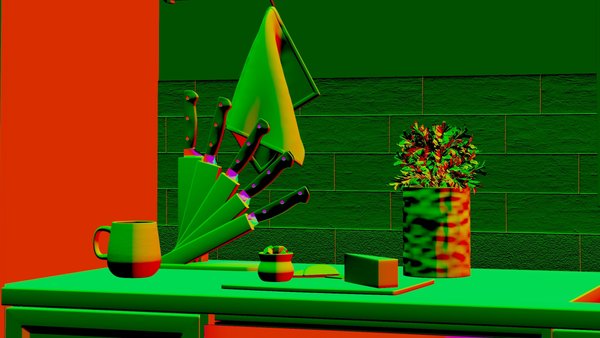
Define the Outputs Your Pipeline Needs
Scene geometry and authored labels can support these render passes. The illustrations below explain output types; availability, schema and coverage depend on your chosen capture pipeline.





Representative 3D Asset
Explore an authored chair and its material references. The metadata panels illustrate inspection fields, not a validation report. Use each delivered file’s specifications for your integration.
Multiple Output Types From the Same Asset
Explore different views of an authored asset, from contextual imagery to material details. Record camera, lighting and environment settings when capturing outputs for your own training pipeline.

Lifestyle
Product placed in a realistic 3D environment with scene composition, material interaction, and contextual lighting.
- 3D environment lighting
- Scene composition
- Material interaction
- Contextual placement
These views illustrate how geometry, materials and lighting contribute to rendered imagery. A visual preview does not confirm physics behavior.
Fully 3D Environments, Not HDRI Backplates
Inspect scene geometry, lighting and scale before capturing training data. The example below illustrates useful metadata fields; confirm the values in the USD package you use.
Lighting Metadata
Spatial Properties
Confirm stage units, object dimensions and placement in your target simulator. Required measurement tolerances belong in the project scope.
What to Include in Your Scope
Use this checklist to define your content requirements. Library specifications describe available files; custom deliverables are agreed with the team before work begins.
3D Assets
Review geometry, UV mapping and supplied collision data. Check scale, orientation and any LOD requirements for the assets you choose.
Materials (PBR)
Inspect supplied maps, shader support and texture resolution. Base color, normal and roughness are common inputs; exact content varies by material.
Render Outputs
Define the views, cameras, lighting and output passes needed by your training pipeline. Agree any separately authored imagery with our team.
Configuration Graphs
Inspect parent-child relationships and material bindings in scene content. Agree any additional configuration rules or variant mappings as part of custom work.
Rich Metadata
Choose the dimensions, categories, labels and physics fields your pipeline needs. Inspect available properties instead of assuming one schema across the catalog.
Review Criteria
Define acceptance criteria for scene content and captured outputs. Additional ratings, annotations and review records require an agreed project scope.
Plan a Repeatable Data Workflow
A useful workflow records source content, configuration and checks. These steps help scope authoring and downstream capture; they are not a promise of an included dataset or managed render service.
Source Inputs
Agree the available references, dimensions and permissions for the objects and environments in your task.
3D Modeling and QC
Geometry normalization, topology cleanup, and UV mapping to production standards.
Canonical Object Model
Structured entity relationships linking products, variants, components, and materials.
Render Recipes
Configurable lighting, camera presets, scene compositions, and output format definitions.
Synthetic Generation
Run your configured capture pipeline and review the outputs for the tasks you plan to train.
Quality Control
Review validation findings and test the agreed requirements in your target runtime.
Versioned Releases
Record scene, simulator and capture settings alongside outputs so your team can reproduce a run.
Schema and Data Structure
This illustrative schema shows how a pipeline can connect products, components, materials and review records. It is not the library API contract or a guarantee of fields included in every download.
Organise the Metadata You Need
The example below groups geometry, materials, lighting and camera settings. Agree required fields and export formats for your pipeline; actual asset metadata is specific to the delivered package.
{ "geometry": { "vertex_count": 48200, "face_count": 47800, "bounding_box": [0.914, 1.248, 0.904], "surface_area": 4.82 }, "materials": { "slot": "door_panel", "type": "PBR_metallic_roughness", "roughness": 0.65, "metallic": 0.0 }, "camera": { "focal_length": 50, "sensor_size": [36, 24], "dof": { "f_stop": 2.8, "focus_distance": 2.1 } }, "lighting": { "key_light": { "type": "area", "intensity": 850, "temperature": 4200 }, "fill_light": { "type": "area", "intensity": 320, "temperature": 5000 } }}Regeneratable by Design
Keep source geometry and capture parameters together to make repeated renders easier to inspect. Recheck labels, collisions and task constraints when you change a scene or its configuration.
Match Scene Content to Your Outputs
Built for the Teams Training Physical AI
Perception Model Training
Use authored scenes to support RGB, depth and segmentation capture in your pipeline. Confirm annotation formats and label coverage for detection and depth tasks.
World Model Pre-training
Plan viewpoints and sequences for spatial reasoning. Validate camera settings and object identity across the frames your pipeline captures.
VLA / Foundation Model Training
Start with scene content and inspect the physical interactions relevant to your task. Actions, trajectories and training labels are defined by your simulation pipeline.
Vision Foundation Models
Explore authored scenes and product imagery for visual understanding. Review rights, image coverage and any additional metadata required for your intended use.
Talk to Us About Your Data Pipeline
Tell us about your training pipeline and data requirements. We can discuss available content, required annotations and any custom authoring before agreeing the project scope.
Get in Touch