
Warehouse digital twins
for robotics simulation.
Recreate the layouts, racks and handling objects your robot needs to work around. We author USD content from your references, with scope and acceptance checks agreed for your task.
Custom authoring with a separate project quote.
Start with the routes
and interactions.
Your robot’s task determines where detail matters, from a narrow turning space to the shape of a grasped container.
Navigation through the site
Define aisle widths, turns, clearances and fixed obstacles around the routes an AMR or mobile manipulator needs to traverse.
Storage and handling areas
Scope racks, shelves, pallets, bins and staging zones. Agree which objects need individual geometry and which can be simplified.
Contact and interaction
Identify the items your robot will pick, place, push or open. Specify the collisions, mass properties and moving parts those tasks need.
Make the site
requirements concrete.
Bring a floor plan with dimensions and photos of the areas in scope. CAD, scans and existing models can help the team assess the geometry already available.
Identify the robot footprint, clearance needs, pickup locations and objects it interacts with. Mark which dimensions are measured and which still need confirmation.
- Layout and boundaries
- Aisles, access points, rack positions, floor levels and the limits of the authored area.
- Objects and variation
- The required pallet, bin and shelf types, plus agreed arrangements or object variants.
- Interaction requirements
- Contact surfaces, moving parts, payload assumptions and the properties needed for each task.
- Labels and target stack
- The classes your pipeline uses, simulator version, USD requirements and review criteria.
An agreed scene.
A reviewable handover.
Scope the USD scene hierarchy, included assets, materials and required physics before authoring. Keep dependencies, usage terms and supporting records with the delivered content.
See how USD packages are structuredAcceptance checks to agree
- Confirm scale, orientation and key aisle or shelf dimensions.
- Open the root layer and resolve referenced assets and textures.
- Inspect collision shapes and any authored joints.
- Review label coverage against the agreed classes.
- Test the agreed routes or interactions in your target simulator.
Record the simulator version and any selected validation profile. Keep unresolved findings visible in the handover.
Inspect a library scene
before discussing your site.
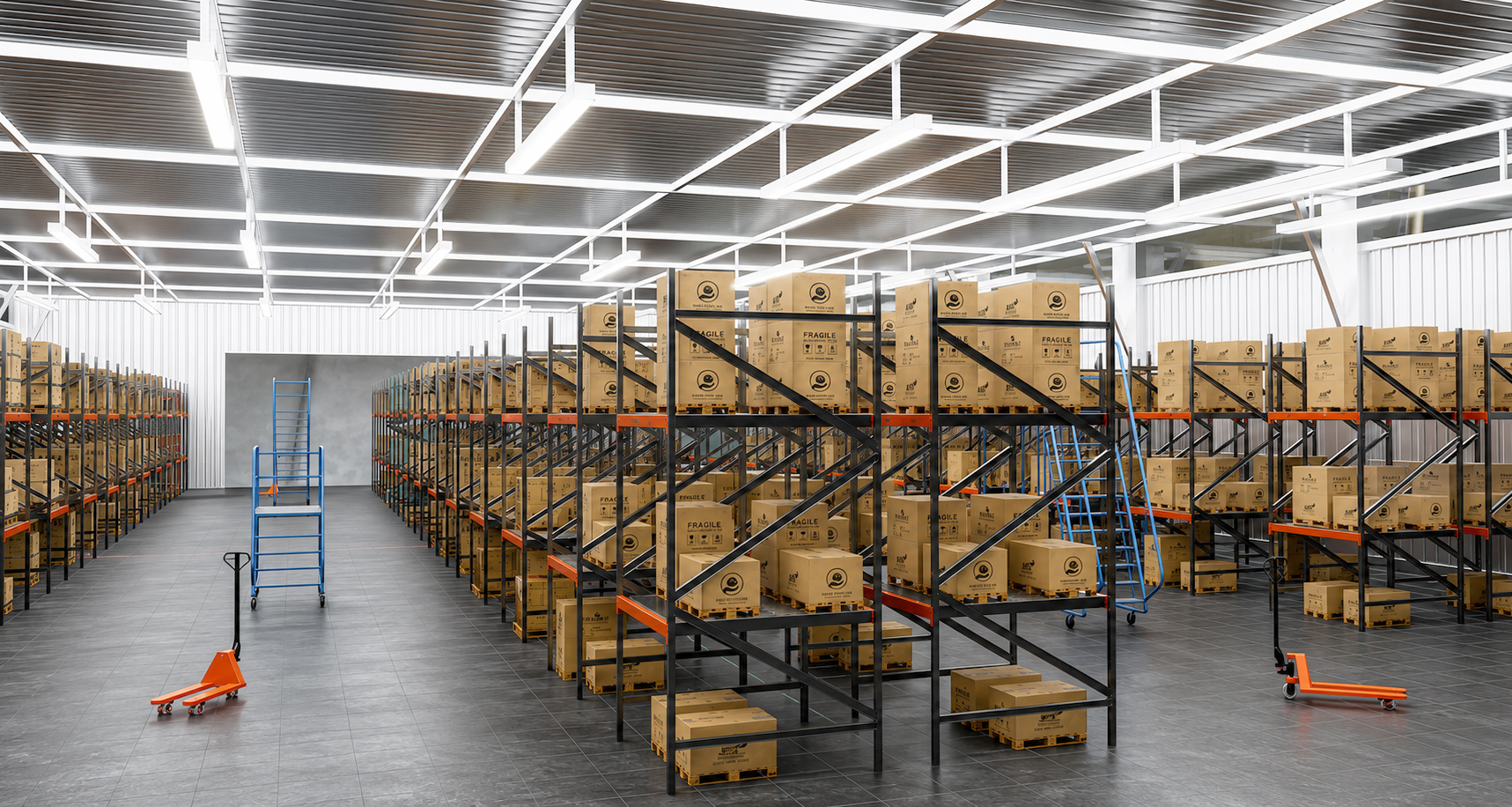
This warehouse is an existing hand-authored library environment. It shows a scene you can inspect as an authoring example. A replica of your facility would use your own references and agreed scope.
Planning your warehouse project.
Can we start with a floor plan?
Yes. Share the plan and any known dimensions, photos or existing models. We assess whether the references describe the required areas and objects, then agree what else is needed before authoring.
Do you need to model the entire warehouse?
The scope can focus on the routes, work areas and objects relevant to your task. Agree the scene boundary, level of detail and any surrounding context before the quote.
Is the warehouse shown here a customer digital twin?
It is Warehouse 16, an existing hand-authored library environment. It illustrates our scene authoring, not a commissioned replica of a customer’s facility. Your project is scoped from your own references.
Will the scene work with our AMR or simulator?
Share your simulator and version, robot dimensions, relevant clearances and intended interactions. We agree the delivery format and acceptance checks for that setup as part of the project.
How are price and delivery time set?
The quote depends on the scene area, reference quality, unique asset count, physical interactions, labels and review requirements. We agree the price and delivery schedule after reviewing your scope.
Tell us where your
robot needs to work.
Share the task, site references and simulator. We will help define the scene, quote and review milestones.